Processing arrays from camera
This example shows how to run a camera widget using ndarray-based processing pipeline with QMediaCaptureSession and NDArrayLabel.
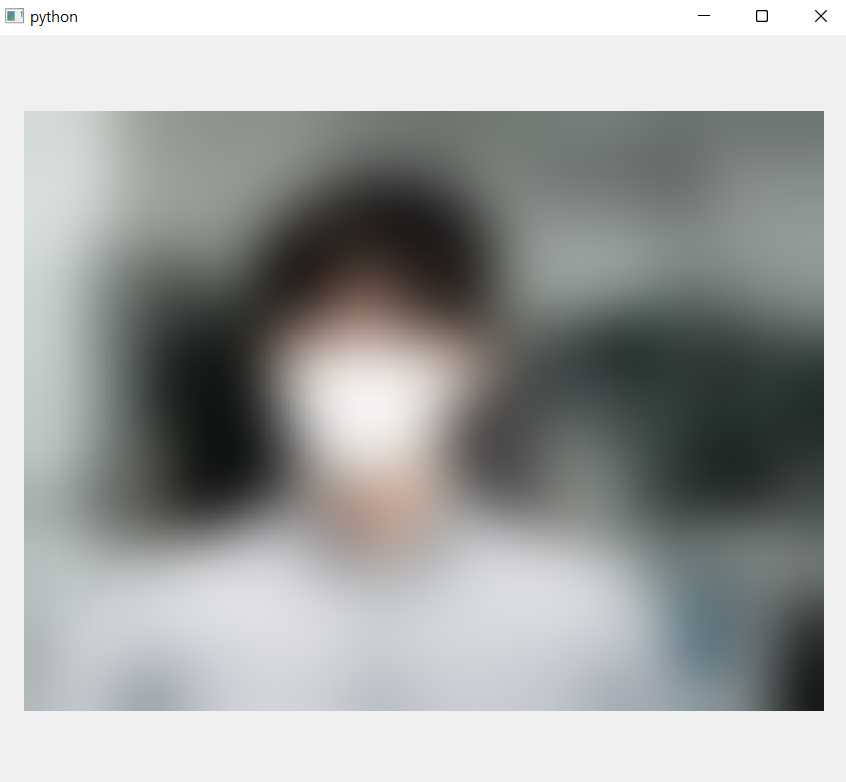
Array-based camera widget with Gaussian blurring process
"""
Video player example with blurring pipeline on numpy array.

The converter receives video frame from the video sink of media capture session,
and emits numpy array. The processor then receives it and emits processed array.

"""

import cv2  # type: ignore
import numpy as np
from PySide6.QtCore import Qt
from PySide6.QtMultimedia import QMediaCaptureSession, QVideoSink
from PySide6.QtWidgets import QMainWindow
from araviq6 import (
    FrameToArrayConverter,
    ArrayWorker,
    ArrayProcessor,
    NDArrayLabel,
)


class BlurWorker(ArrayWorker):
    def processArray(self, array: np.ndarray) -> np.ndarray:
        return cv2.GaussianBlur(array, (0, 0), 25)


class Window(QMainWindow):
    def __init__(self, parent=None):
        super().__init__(parent)
        self._camera = QCamera()
        self._captureSession = QMediaCaptureSession()
        self._cameraSink = QVideoSink()
        self._arrayConverter = FrameToArrayConverter()
        self._arrayProcessor = ArrayProcessor()
        self._blurWorker = BlurWorker()
        self._arrayLabel = NDArrayLabel()

        # set up the pipeline
        self._captureSession.setCamera(self._camera)
        self._captureSession.setVideoSink(self._cameraSink)
        self._cameraSink.videoFrameChanged.connect(
            self._arrayConverter.convertVideoFrame
        )
        self._arrayConverter.arrayConverted.connect(self._arrayProcessor.processArray)
        self._arrayProcessor.arrayProcessed.connect(self._arrayLabel.setArray)

        self._arrayLabel.setAlignment(Qt.AlignmentFlag.AlignCenter)
        self._arrayProcessor.setWorker(self._blurWorker)

        self.setCentralWidget(self._arrayLabel)

        self._camera.start()

    def closeEvent(self, event):
        self._arrayProcessor.stop()
        super().closeEvent(event)


if __name__ == "__main__":
    from PySide6.QtWidgets import QApplication
    from PySide6.QtMultimedia import QCamera
    import sys

    app = QApplication(sys.argv)
    window = Window()
    window.show()
    app.exec()
    app.quit()
"""
Video player example with blurring pipeline on numpy array.

The converter receives video frame from the video sink of media capture session,
and emits numpy array. The processor then receives it and emits processed array.

"""

import cv2  # type: ignore
import numpy as np
from PyQt6.QtCore import Qt
from PyQt6.QtMultimedia import QMediaCaptureSession, QVideoSink
from PyQt6.QtWidgets import QMainWindow
from araviq6 import (
    FrameToArrayConverter,
    ArrayWorker,
    ArrayProcessor,
    NDArrayLabel,
)


class BlurWorker(ArrayWorker):
    def processArray(self, array: np.ndarray) -> np.ndarray:
        return cv2.GaussianBlur(array, (0, 0), 25)


class Window(QMainWindow):
    def __init__(self, parent=None):
        super().__init__(parent)
        self._camera = QCamera()
        self._captureSession = QMediaCaptureSession()
        self._cameraSink = QVideoSink()
        self._arrayConverter = FrameToArrayConverter()
        self._arrayProcessor = ArrayProcessor()
        self._blurWorker = BlurWorker()
        self._arrayLabel = NDArrayLabel()

        # set up the pipeline
        self._captureSession.setCamera(self._camera)
        self._captureSession.setVideoSink(self._cameraSink)
        self._cameraSink.videoFrameChanged.connect(
            self._arrayConverter.convertVideoFrame
        )
        self._arrayConverter.arrayConverted.connect(self._arrayProcessor.processArray)
        self._arrayProcessor.arrayProcessed.connect(self._arrayLabel.setArray)

        self._arrayLabel.setAlignment(Qt.AlignmentFlag.AlignCenter)
        self._arrayProcessor.setWorker(self._blurWorker)

        self.setCentralWidget(self._arrayLabel)

        self._camera.start()

    def closeEvent(self, event):
        self._arrayProcessor.stop()
        super().closeEvent(event)


if __name__ == "__main__":
    from PyQt6.QtWidgets import QApplication
    from PyQt6.QtMultimedia import QCamera
    import sys

    app = QApplication(sys.argv)
    window = Window()
    window.show()
    app.exec()
    app.quit()